Main Method:


package fig_12.pkg15;

import javax.swing.JFrame;

public class Fig_1215

{

    public static void main(String[] args)

    {

       ButtonFrame button = new ButtonFrame();

       button.setDefaultCloseOperation(JFrame.EXIT_ON_CLOSE);

       button.setSize(400,100);

       button.setVisible(true);

    }


}

ButtonFrame Method:

package fig_12.pkg15;

import java.awt.FlowLayout;

import java.awt.event.ActionListener;

import java.awt.event.ActionEvent;

import javax.swing.JFrame;

import javax.swing.JButton;

import javax.swing.JOptionPane;

public class ButtonFrame extends JFrame

{

    private final JButton planeButton;


    public ButtonFrame()

    {

        super("Test Button");

        setLayout(new FlowLayout());


        planeButton = new JButton("Plane Button");

        add(planeButton);


        ButtonHandeler handel = new ButtonHandeler();

        planeButton.addActionListener(handel);


    }


    private class ButtonHandeler implements ActionListener

    {

        @Override

        public void actionPerformed(ActionEvent event)

        {

          JOptionPane .showMessageDialog(ButtonFrame.this,String.format("You Pressed: %s",event.getActionCommand()));

        }


    }

}
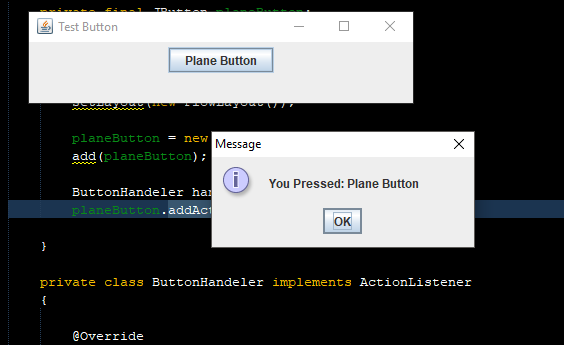
Output
Output:
Add your comment